
Docker deployment.A repeatable package, with a clear operating boundary.

Docker packaging and deployment work for applications and supporting services. We separate build artifacts, configuration, persistent records and release responsibilities.

Plan your Docker project
DockerApplication packaging

Why choose
Docker?

Start with the task and operating constraints. These benefits depend on deliberate engineering decisions.

Repeat the build

A documented image build records the application’s runtime dependencies and delivery steps.

Review base images, dependency versions and how the image is rebuilt.

Separate configuration from the artifact

Credentials and environment-specific settings should be supplied through approved runtime configuration.

Inspect image contents and build logs for private configuration.

Plan state and recovery

An application container and its persistent data have different lifecycles. Make storage and restoration explicit.

Test what happens when the container is replaced or its host fails.

How the pieces
work together.

Expand a pattern to inspect responsibilities and review questions. Final choices depend on your project requirements.

Application packaging

Build a deployable artifact from source with a documented entry point and configuration contract.

  1. Source & dependencies
  2. Image build
  3. Application container
Review the boundary

Verify reproducibility, health behavior and required environment values.

Multi-service environments

Define networking, startup dependencies and persistence between application services.

  1. Service definitions
  2. Network & configuration
  3. Running environment
Review the boundary

Test missing dependencies and the order services become ready.

Release and rollback

Deploy an identified image and retain a route back when a change fails.

  1. Versioned image
  2. Deployment checks
  3. Observed release
Review the boundary

Check rollback compatibility, data changes and recovery instructions.

A stack with
clear responsibilities.

A project does not need every tool. Each addition should have a defined role.

The ecosystem.
Behind the experience.

Interfaces, application logic, data and operations. The building blocks work together around your project.

Frontend Development

  • React
  • Angular
  • JavaScript
  • HTML5
  • CSS3

Backend Development

  • Node.js
  • Express.js
  • Laravel
  • PHP

Database

  • MySQL
  • PostgreSQL
  • MongoDB
  • Firebase

Cloud & DevOps

  • Azure
  • AWS
  • Google Cloud
  • Docker
  • Jenkins

Software you can
actually explore.

Inspect the interface, change the inputs and follow the output. These public demonstrations use synthetic records.

From a missing detail to a reviewable report.

Edit an observation. Inspect the generated draft. Confirm your sample review before exporting a PDF.
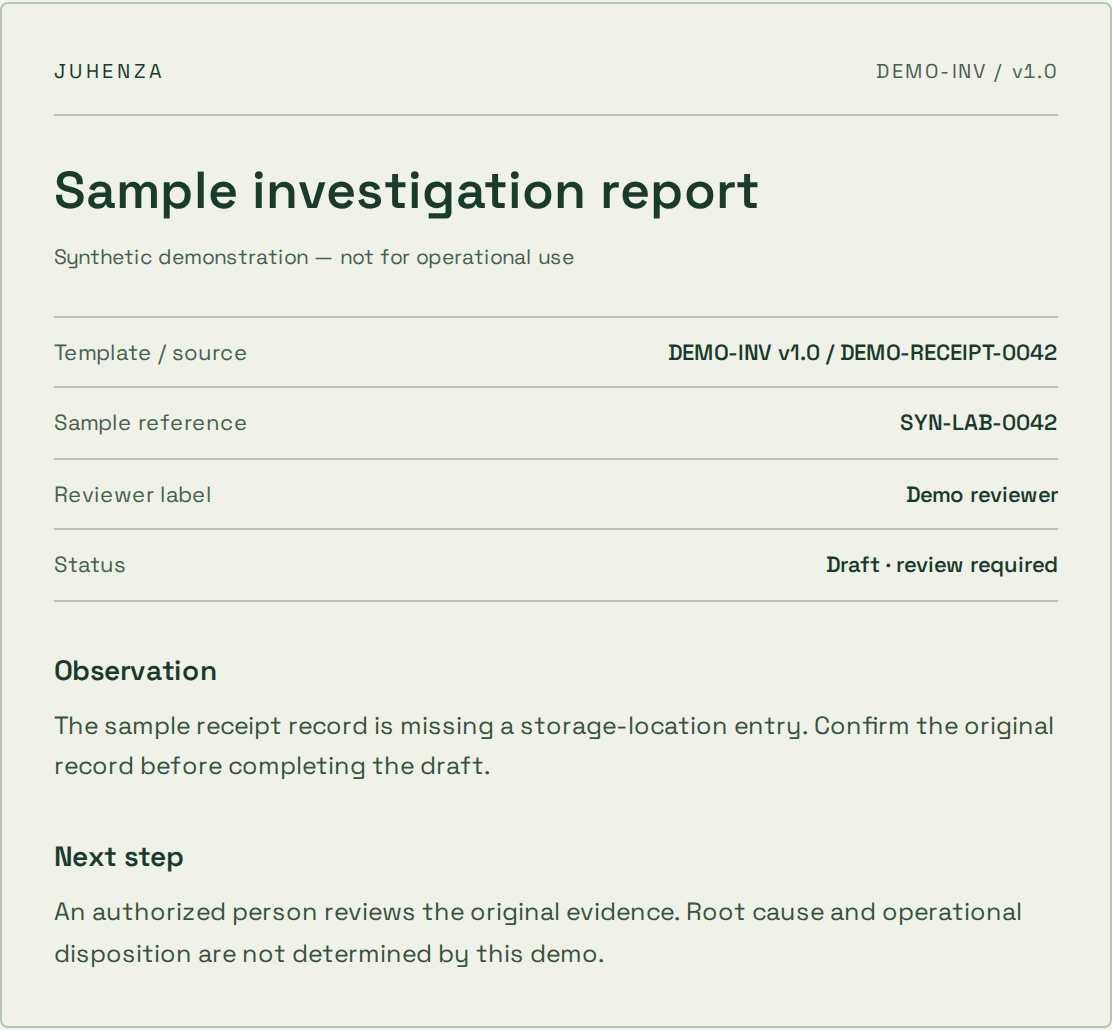
  • Live input and output
  • Visible source references
  • Human review before export
Explore the report demo
Actual sample report preview with source references, synthetic observation and review status

Ask a question. See where the answer comes from.

Explore a synthetic SOP library and inspect the source passage. Try a restricted role or an unsupported question.
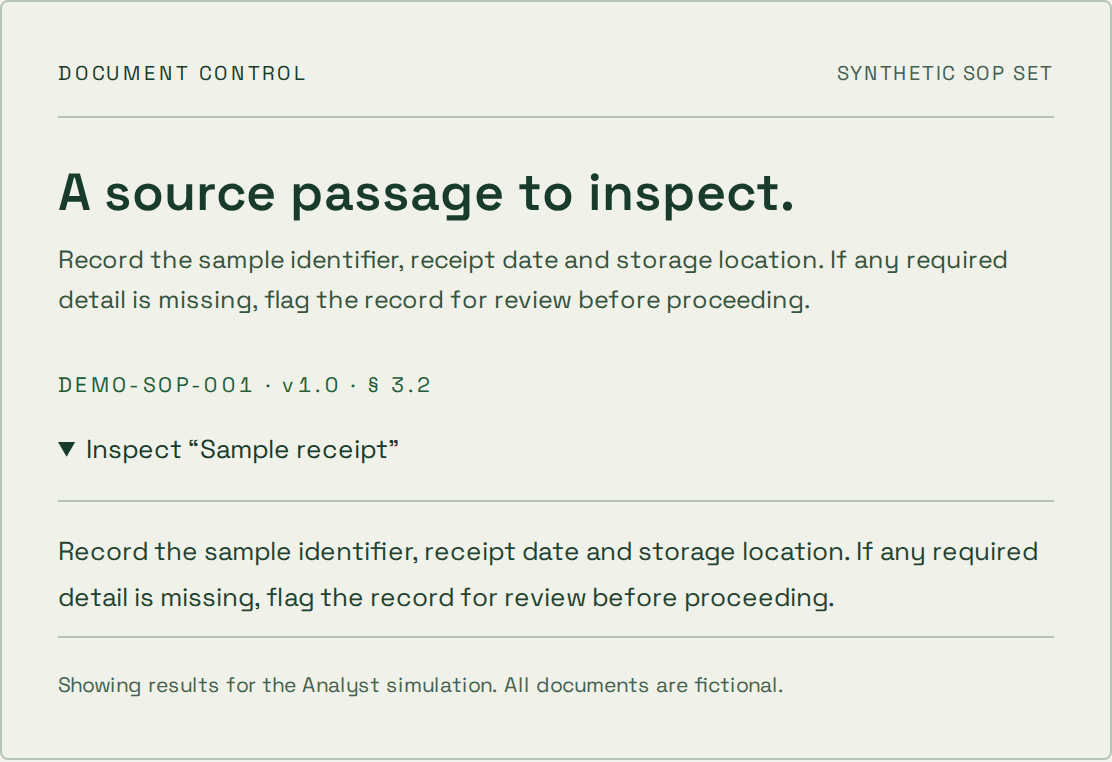
  • Inspectable source passages
  • Simulated access boundaries
  • Deterministic topic search
Explore the document demo
Actual synthetic SOP source passage and document citation from the document assistant demo

Start where
your project is.

The first step depends on what is already known. These starting points help define an engagement; scope, price and timing are agreed separately.

Explore an uncertain idea

The problem is clear, but the approach is not.

  1. 1Question
  2. 2Prototype
  3. 3Decision

What you take forward

A bounded experiment, findings and a recommendation on what to validate next.

A prototype is not a production-ready service.

Deliver a defined scope

You know the workflow and can agree acceptance checks.

  1. 1Scope
  2. 2Build & review
  3. 3Handover

What you take forward

Agreed deliverables, verification evidence and operating instructions for the scoped release.

Changes to scope need an explicit decision on cost and timing.

Improve an existing system

A live system needs focused changes or ongoing care.

  1. 1Review
  2. 2Prioritize
  3. 3Release & observe

What you take forward

A prioritized backlog, reviewed changes and an agreed maintenance or support boundary.

Coverage, response targets and access are agreed per engagement.

How project pricing works

A useful foundation.
Before the first release.

Agree the boundaries that make the implementation maintainable as well as functional.
  1. Reproducible packaging

    Package the application and its runtime dependencies with explicit configuration and build instructions.

  2. Environment boundaries

    Separate image contents from credentials and environment-specific settings. Plan storage, networking and service dependencies.

  3. Release and recovery

    Verify deployment, health checks and rollback. Document update ownership and test restoration for stateful components.

Questions about
Docker?

Practical answers before the build. Bring the details of your project to the conversation.

Does containerization replace backups?

No. Persistent data and configuration need their own backup and restoration plan.

Can an existing application be packaged?

Usually after reviewing runtime dependencies, file storage, network access and the deployment environment.

Do containers automatically provide security?

No. Image contents, permissions, network exposure, updates and host configuration still require explicit decisions and review.

Plan the next decision.

Still have questions?
Start with the brief.

Bring the problem you want solved. We’ll shape it into a project brief you can keep — or let AI draft a first approach.