
Tailwind CSS interface development.A consistent interface system that can adapt with the product.

Tailwind CSS interface work for React applications, combining reusable design decisions with responsive composition and complete interaction states.

Plan your Tailwind CSS project
Tailwind CSSInterface styling and layout

Why choose
Tailwind CSS?

Start with the task and operating constraints. These benefits depend on deliberate engineering decisions.

Keep shared decisions in one place

Common colors, spacing, typography and component behavior should be reusable rather than copied into each page.

Promote recurring patterns and retain useful local layout differences.

Adapt to actual content

Responsive behavior needs to support long labels, missing records and intermediate widths as well as ideal screenshots.

Review the task at narrow, intermediate and wide sizes.

Build all the states

Focus, disabled, loading and error states are part of the component contract.

Check touch targets and keyboard access as the layout changes.

How the pieces
work together.

Expand a pattern to inspect responsibilities and review questions. Final choices depend on your project requirements.

Tokens and components

Connect shared design values to reusable interface patterns.

  1. Design tokens
  2. Component states
  3. Page composition
Review the boundary

Inspect contrast, consistency and component variations.

Responsive layout

Reflow content according to available space and the user’s task.

  1. Real content
  2. Layout constraints
  3. Device-sized experience
Review the boundary

Check wrapping, overflow and orientation changes.

Existing interface cleanup

Consolidate repeated classes and resolve conflicting rules around shared patterns.

  1. Current styles
  2. Reusable patterns
  3. Verified interface
Review the boundary

Compare the rendered result and interaction behavior after cleanup.

A stack with
clear responsibilities.

A project does not need every tool. Each addition should have a defined role.

The ecosystem.
Behind the experience.

Interfaces, application logic, data and operations. The building blocks work together around your project.

Frontend Development

  • React
  • Angular
  • JavaScript
  • HTML5
  • CSS3

Backend Development

  • Node.js
  • Express.js
  • Laravel
  • PHP

Database

  • MySQL
  • PostgreSQL
  • MongoDB
  • Firebase

Cloud & DevOps

  • Azure
  • AWS
  • Google Cloud
  • Docker
  • Jenkins

Software you can
actually explore.

Inspect the interface, change the inputs and follow the output. These public demonstrations use synthetic records.

From a missing detail to a reviewable report.

Edit an observation. Inspect the generated draft. Confirm your sample review before exporting a PDF.
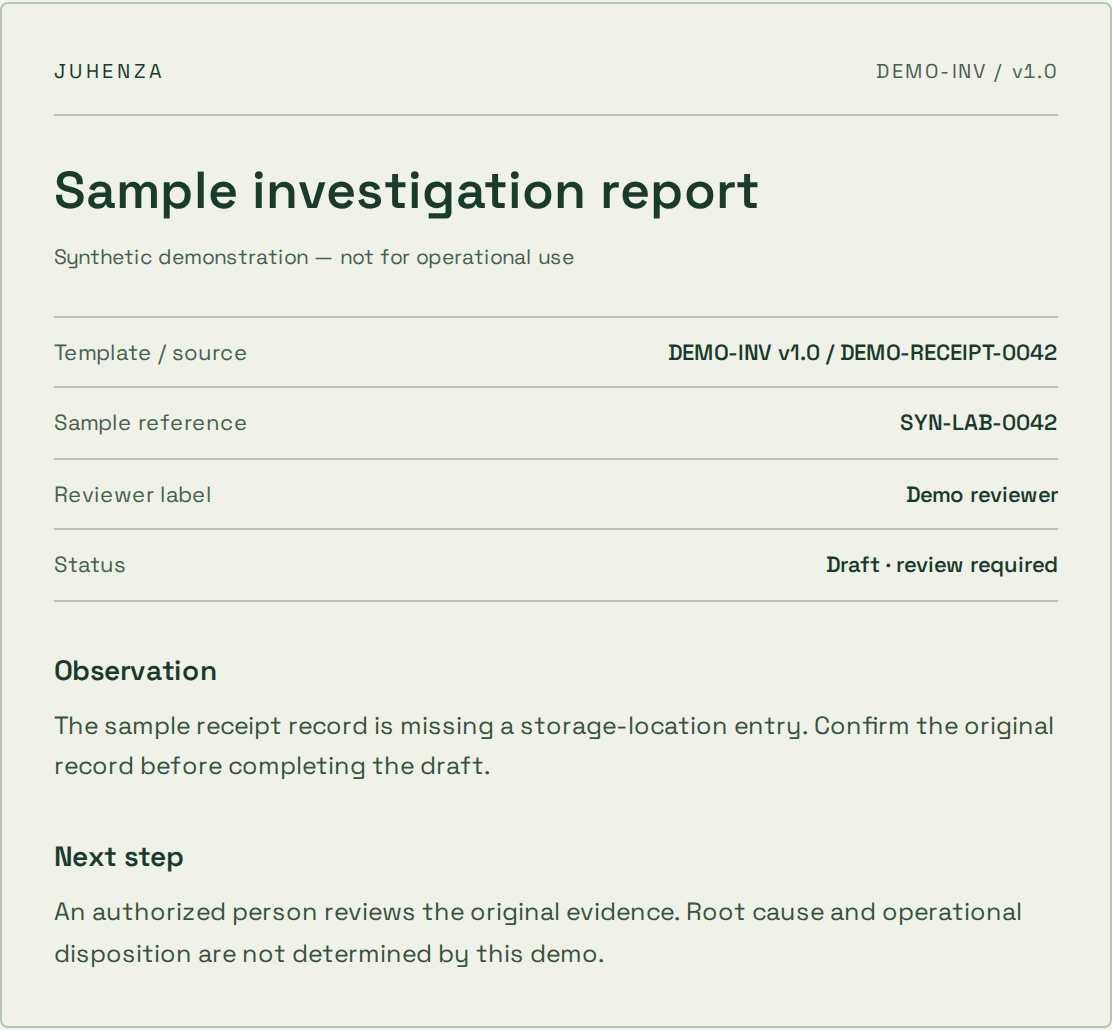
  • Live input and output
  • Visible source references
  • Human review before export
Explore the report demo
Actual sample report preview with source references, synthetic observation and review status

Ask a question. See where the answer comes from.

Explore a synthetic SOP library and inspect the source passage. Try a restricted role or an unsupported question.
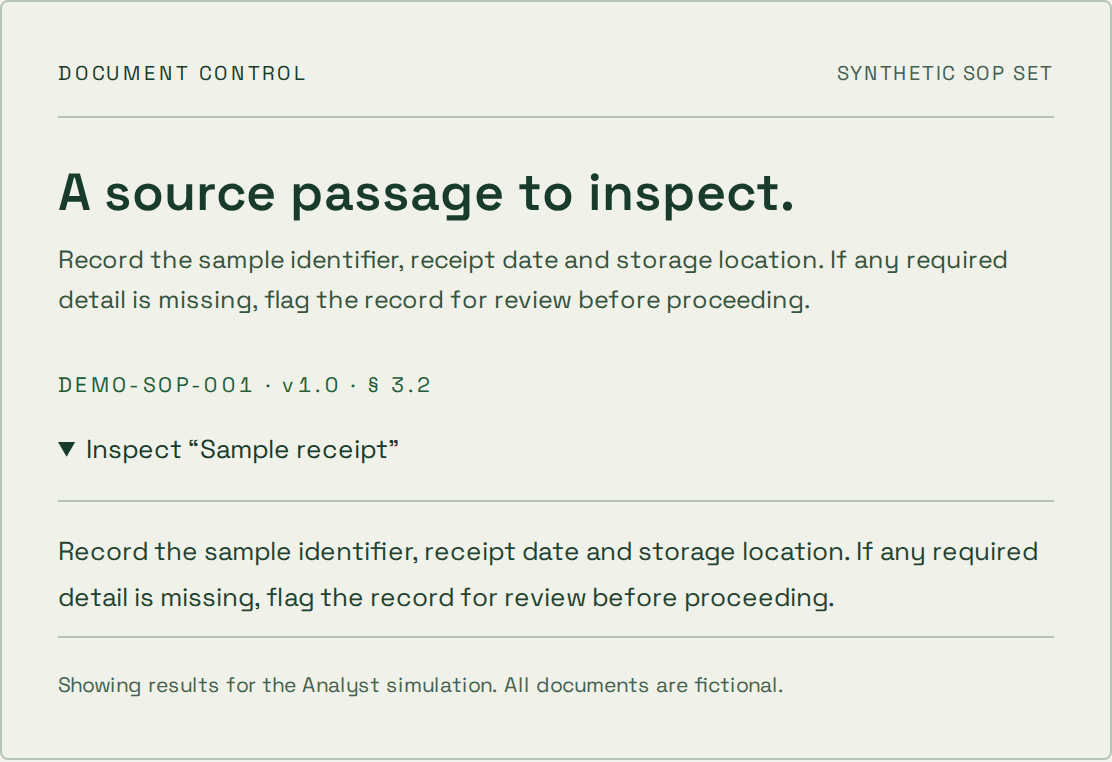
  • Inspectable source passages
  • Simulated access boundaries
  • Deterministic topic search
Explore the document demo
Actual synthetic SOP source passage and document citation from the document assistant demo

Start where
your project is.

The first step depends on what is already known. These starting points help define an engagement; scope, price and timing are agreed separately.

Explore an uncertain idea

The problem is clear, but the approach is not.

  1. 1Question
  2. 2Prototype
  3. 3Decision

What you take forward

A bounded experiment, findings and a recommendation on what to validate next.

A prototype is not a production-ready service.

Deliver a defined scope

You know the workflow and can agree acceptance checks.

  1. 1Scope
  2. 2Build & review
  3. 3Handover

What you take forward

Agreed deliverables, verification evidence and operating instructions for the scoped release.

Changes to scope need an explicit decision on cost and timing.

Improve an existing system

A live system needs focused changes or ongoing care.

  1. 1Review
  2. 2Prioritize
  3. 3Release & observe

What you take forward

A prioritized backlog, reviewed changes and an agreed maintenance or support boundary.

Coverage, response targets and access are agreed per engagement.

How project pricing works

A useful foundation.
Before the first release.

Agree the boundaries that make the implementation maintainable as well as functional.
  1. Responsive composition

    Define layouts around actual content and task requirements. Test narrow screens, wrapping labels and intermediate widths instead of only one desktop size.

  2. Reusable styling

    Keep common colors, typography and spacing in a shared system. Consolidate repeated patterns while allowing meaningful local layout differences.

  3. States and handover

    Review focus, hover, disabled, error and loading states. Document the patterns needed to extend the interface without reproducing long class blocks.

Questions about
Tailwind CSS?

Practical answers before the build. Bring the details of your project to the conversation.

Does Tailwind replace a design system?

No. It supplies styling utilities; the product still needs decisions about reusable components, tokens, hierarchy and behavior.

Can you clean up an existing Tailwind interface?

Yes. Review repeated patterns, conflicting breakpoints and missing component states, then consolidate at the appropriate level.

How do you prevent long class strings from spreading?

Use shared components or styles for patterns that recur, with utilities for local composition. Avoid creating an abstraction for every one-off exception.

Plan the next decision.

Still have questions?
Start with the brief.

Bring the problem you want solved. We’ll shape it into a project brief you can keep — or let AI draft a first approach.