
Linux server management.Servers that the operating team can understand and maintain.

Linux setup and managed server work around application requirements, approved access, updates, service monitoring and recovery.

Plan your Linux project
LinuxServer operation

Why choose
Linux?

Start with the task and operating constraints. These benefits depend on deliberate engineering decisions.

Give access a clear owner

Administrative access, application accounts and recovery contacts must be distinguishable and accountable.

Review permissions and the process for joining, changing roles and leaving.

Make maintenance repeatable

Document service configuration and update responsibilities around the application and its dependencies.

Test changes in a suitable environment and plan a rollback.

Rehearse recovery

The useful measure is whether the service and its records can be restored under the agreed conditions.

Verify backups and configuration with an actual restoration exercise.

How the pieces
work together.

Expand a pattern to inspect responsibilities and review questions. Final choices depend on your project requirements.

Server provisioning

Establish the required accounts, networking and application dependencies through an approved setup.

  1. Approved access
  2. System configuration
  3. Application services
Review the boundary

Check exposed services, permissions and configuration ownership.

Service operation

Observe useful service signals and route failures to a responsible person.

  1. Service signals
  2. Triage & ownership
  3. Approved response
Review the boundary

Review alert usefulness, log access and escalation contacts.

Backup and restoration

Recover the application’s persistent records and necessary configuration in an isolated test.

  1. Backup records
  2. Restoration procedure
  3. Verified service
Review the boundary

Compare the recovery with agreed downtime and data-loss objectives.

A stack with
clear responsibilities.

A project does not need every tool. Each addition should have a defined role.

The ecosystem.
Behind the experience.

Interfaces, application logic, data and operations. The building blocks work together around your project.

Frontend Development

  • React
  • Angular
  • JavaScript
  • HTML5
  • CSS3

Backend Development

  • Node.js
  • Express.js
  • Laravel
  • PHP

Database

  • MySQL
  • PostgreSQL
  • MongoDB
  • Firebase

Cloud & DevOps

  • Azure
  • AWS
  • Google Cloud
  • Docker
  • Jenkins

Software you can
actually explore.

Inspect the interface, change the inputs and follow the output. These public demonstrations use synthetic records.

From a missing detail to a reviewable report.

Edit an observation. Inspect the generated draft. Confirm your sample review before exporting a PDF.
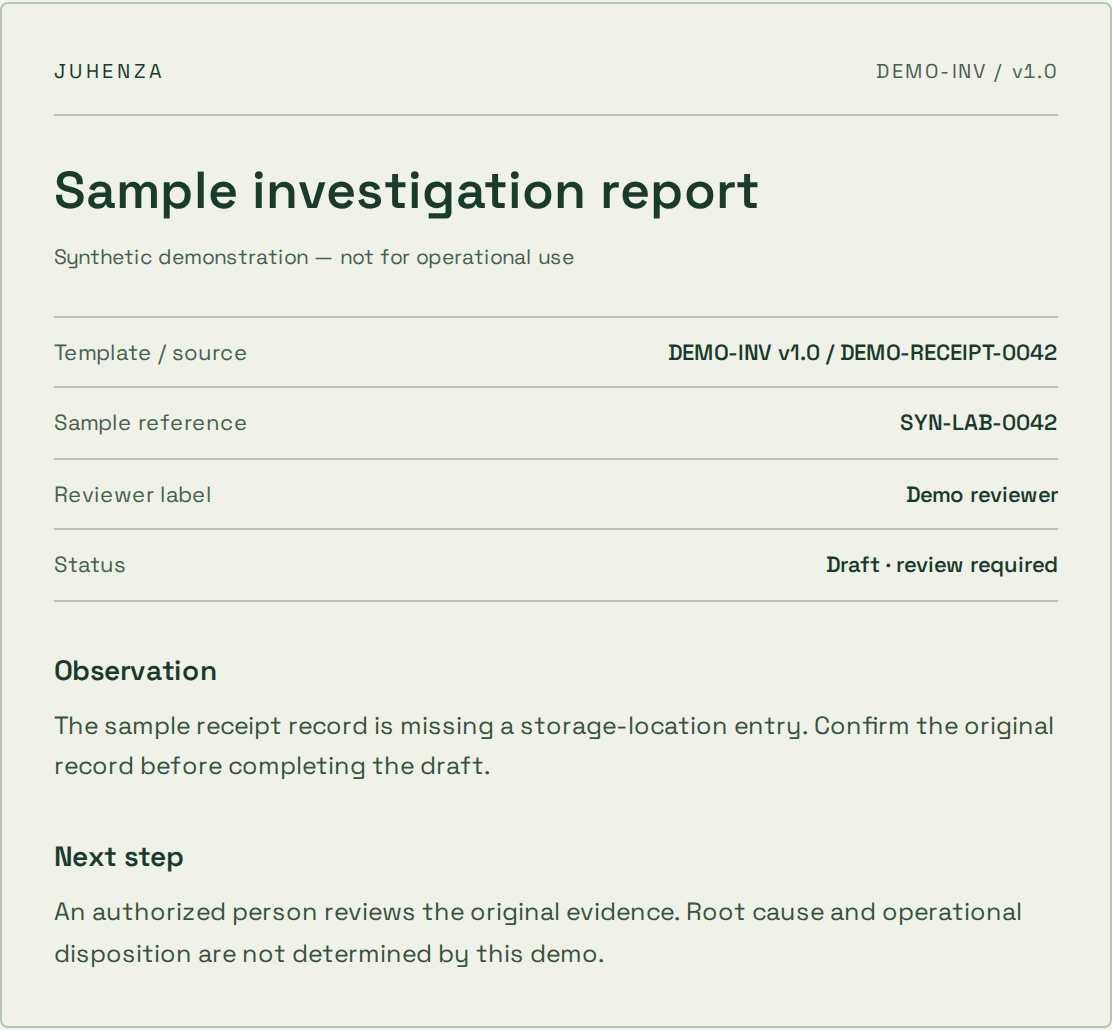
  • Live input and output
  • Visible source references
  • Human review before export
Explore the report demo
Actual sample report preview with source references, synthetic observation and review status

Ask a question. See where the answer comes from.

Explore a synthetic SOP library and inspect the source passage. Try a restricted role or an unsupported question.
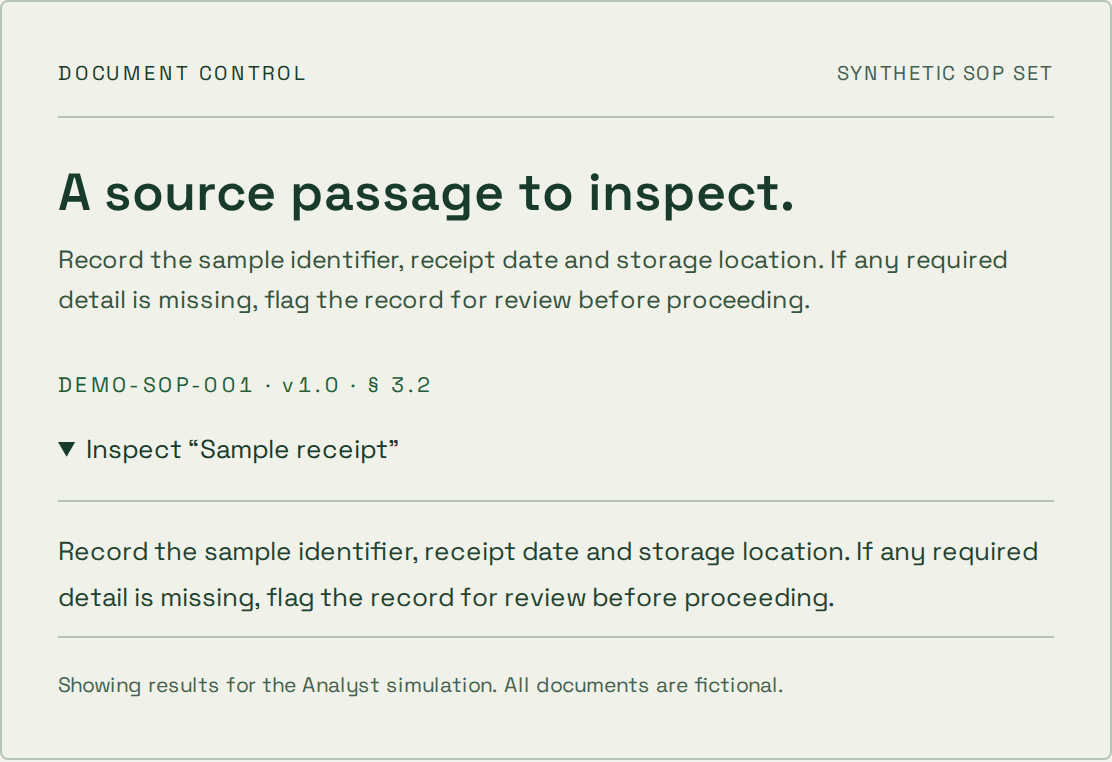
  • Inspectable source passages
  • Simulated access boundaries
  • Deterministic topic search
Explore the document demo
Actual synthetic SOP source passage and document citation from the document assistant demo

Start where
your project is.

The first step depends on what is already known. These starting points help define an engagement; scope, price and timing are agreed separately.

Explore an uncertain idea

The problem is clear, but the approach is not.

  1. 1Question
  2. 2Prototype
  3. 3Decision

What you take forward

A bounded experiment, findings and a recommendation on what to validate next.

A prototype is not a production-ready service.

Deliver a defined scope

You know the workflow and can agree acceptance checks.

  1. 1Scope
  2. 2Build & review
  3. 3Handover

What you take forward

Agreed deliverables, verification evidence and operating instructions for the scoped release.

Changes to scope need an explicit decision on cost and timing.

Improve an existing system

A live system needs focused changes or ongoing care.

  1. 1Review
  2. 2Prioritize
  3. 3Release & observe

What you take forward

A prioritized backlog, reviewed changes and an agreed maintenance or support boundary.

Coverage, response targets and access are agreed per engagement.

How project pricing works

A useful foundation.
Before the first release.

Agree the boundaries that make the implementation maintainable as well as functional.
  1. Server setup

    Define users, network access, application dependencies and approved administrative access before exposing services.

  2. Maintenance

    Plan package updates, service configuration, logs and operational ownership around the workload and agreed support scope.

  3. Backup and recovery

    Identify persistent records and configuration, test restoration and document the response to common service failures.

Questions about
Linux?

Practical answers before the build. Bring the details of your project to the conversation.

What belongs in a server support agreement?

Covered systems, support hours, update ownership, access, escalation and recovery responsibilities. Response commitments must be agreed explicitly.

Can you review an existing Linux server?

Yes, within an approved access and review scope. Begin with the workload, owners, dependencies and priority operating problems.

How often should recovery be tested?

Agree the schedule against system changes and business risk. A backup-job success message alone does not demonstrate recovery readiness.

Plan the next decision.

Still have questions?
Start with the brief.

Bring the problem you want solved. We’ll shape it into a project brief you can keep — or let AI draft a first approach.